Marketing automation workflows: SEO + social checklists
Build marketing automation workflows in the right order: SEO pipeline first, then social publishing, with a simple workflow map and step-by-step checklists.
If you want predictable growth without hiring a bigger marketing team, start by documenting your marketing automation workflows: the small set of repeatable processes that move work from idea → publish → promote → measure, with fewer manual handoffs.
What “marketing automation workflows” means (quick definition)
A marketing automation workflow is a repeatable sequence of steps that moves a marketing task forward automatically after a trigger happens (a form fill, a content status change, a new keyword, a scheduled date). The best workflows reduce manual copy/paste, prevent dropped tasks, and make performance review routine.
The priority order (SEO first, then social)
SEO and social can be automated together, but the rollout should start with the workflow that creates durable assets.
Automate the SEO pipeline first
It compounds over time.
It creates stable inputs you can repurpose into social posts.
It forces you to define your “source of truth” for content status and owners.
Automate social publishing second
It benefits from a clean content queue and a predictable cadence.
It’s easier to standardize once SEO production is steady.
Then add analytics + feedback loops
You can’t optimize what you don’t consistently capture.
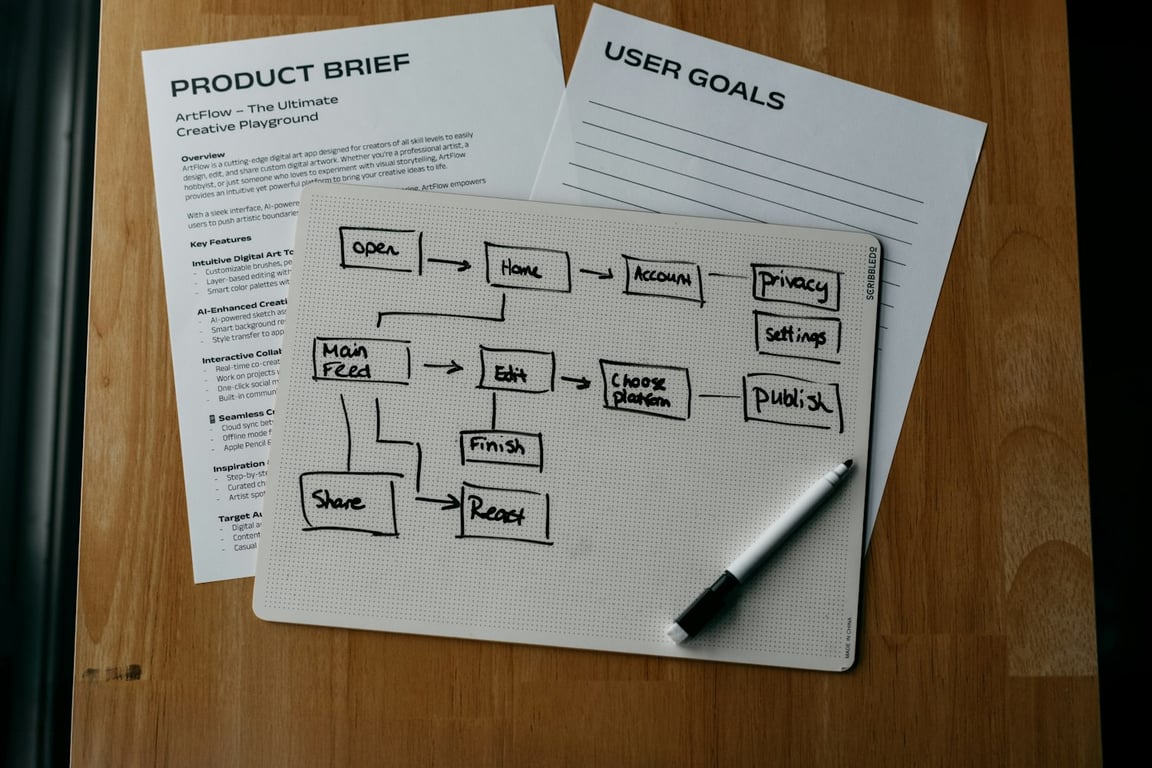
The simple workflow map (use this as your baseline)
Think of this as the minimum viable operating system for marketing.
Auto-create a checklist of QA requirements (SEO basics, links, CTA)
3) Draft → review routing
Trigger: draft status changes to “needs review.”
Outcome: the right reviewer is notified and the content is queued.
Notify the reviewer in the channel they actually check
Add a deadline and escalation path
Keep all review notes attached to the draft (no scattered messages)
4) Review approved → publish prep
Trigger: draft is approved.
Outcome: publishing tasks are created and tracked.
Generate a publish checklist (meta title, meta description, slug, internal links, images)
Create a “publish” task with an owner and target date
Capture the final URL automatically once published
5) Publish → refresh + update cadence
Trigger: a post is published (or hits 30/60/90 days live).
Outcome: you schedule a refresh review so content doesn’t decay.
Add a “refresh due date” based on publish date
Create a recurring task to check rankings/conversions
Update or expand content, then re-distribute it
Checklist: social automation workflows (after SEO is stable)
1) Post published → social queue
Trigger: blog post status becomes “published” and has a real URL.
Outcome: multiple social posts are generated and scheduled.
Create 3–7 social snippets from the post (hook + key point + CTA)
Queue them with a cadence (day 0, day 3, day 7, day 14)
Track what was posted and when
2) Social engagement → lead follow-up
Trigger: a high-intent comment, DM, or reply appears.
Outcome: a lead follow-up task is created automatically.
Create a CRM task for outreach
Log the original post/comment for context
Route by topic, product, or territory
Tooling examples (keep it simple)
Use Notion as your operating system: briefs, drafts, checklists, statuses, owners.
Use Zapier when you want fast, reliable “if this happens, do that” workflows.
Use Make when you need more complex logic, transformations, or multi-step scenarios.
Common mistakes (and how to avoid them)
Automating the wrong thing first
Don’t start with social scheduling if the content pipeline isn’t stable.
No single source of truth
Pick one place where status and ownership live (then automate everything else off that).
No feedback loop
If you never schedule refreshes, your content program will drift.
Get help building this
Setting up marketing automation workflows in the right order — SEO pipeline first, then social — usually takes most teams a few weeks of trial and error before the handoffs actually hold. If you'd rather skip the trial-and-error, book a ZoomFlow session. One of our consultants will map your workflow with you in real time and you'll leave with a working build plan.
A Notion pointer page is a single, high-signal index that tells humans and AI agents where your databases, SOPs, and dashboards live—without bloating context.