Apollo outreach automation for B2B prospecting: Apollo vs Clay + HubSpot handoff
Apollo outreach automation for B2B prospecting helps you enrich leads, find contacts, and run a 3-email sequence—then sync qualified replies into HubSpot.
If you want to start outbound fast, Apollo is usually the simplest way to do Apollo outreach automation for B2B prospecting: build a target list, enrich it with verified contacts, and launch a 3-email sequence—then optionally sync the best responses into HubSpot.
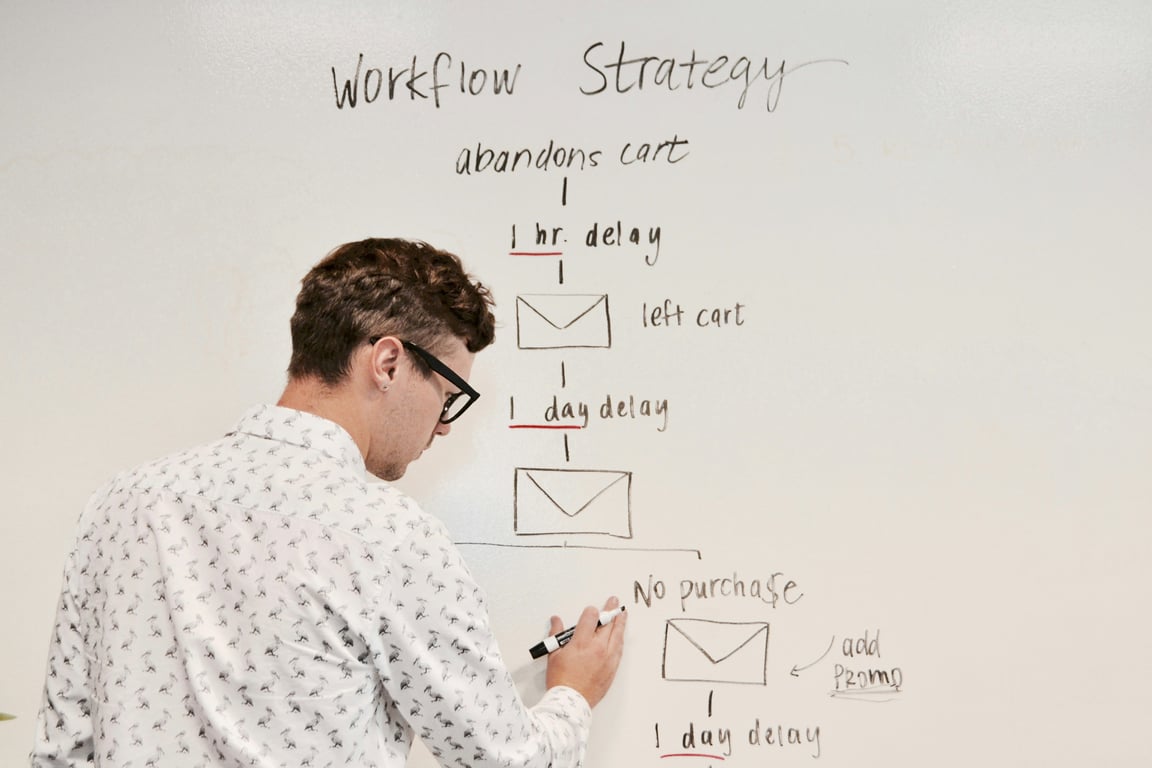
Photo by Campaign Creators on Unsplash — apollo outreach automation for b2b prospecting workflow
What we’re building (the “enrich → sequence → CRM handoff” workflow)
Here’s the lightweight system this post covers:
Start with a list of target companies (or a clear ICP).
Enrich the list to find the right contact(s): marketing, partnerships, biz dev, or whoever owns vendor evaluation.
Run a short outbound sequence (example: 3 emails).
Hand off replies and engaged contacts into your CRM (often HubSpot).
The key point: enrichment and sequencing are different jobs. Tools like Zapier are great for connecting systems after you have data, but they don’t replace an enrichment database.
Apollo vs Clay for this workflow (quick comparison)
Both tools can support outbound motions, but they’re optimized for different teams.
Choose Apollo when you want “one platform that just runs”
Apollo is usually the best pick when you want one tool to:
find companies and people
pull verified emails (and sometimes phone numbers)
launch multi-step sequences
track engagement
It’s the more straightforward option for a small team or a non-technical operator who wants predictable setup.
Choose Clay when you want custom enrichment logic (and you’re okay assembling the stack)
Clay is more of a workflow builder for enrichment and research. It’s strong when you want:
multiple data sources and enrichment “waterfalls”
custom scoring / routing logic
very specific personalization fields at scale
But Clay typically works best when paired with a separate sending/sequencing tool (or your CRM).
Step-by-step: Apollo outreach automation for B2B prospecting
Step 1: Define your target list (or ICP)
Start with the simplest version:
a spreadsheet of companies you want to reach, or
an ICP definition (industry, size, geography, keywords, tech stack, etc.)
For example, if you’re reaching Employee Assistance Programs (EAPs), your first pass is just: “EAP providers in the US with partnerships or benefits marketing roles.”
Step 2: Enrich the list (find the right contacts)
In Apollo, enrichment usually means:
matching each company to the correct domain
finding 1–3 relevant contacts per company
pulling verified contact info (email, title, LinkedIn URL, etc.)
A practical tip: don’t aim for perfection on day one. Start with a “good enough” contact rule (like partnerships + marketing), run a small batch, and adjust based on bounce/reply data.
Step 3: Build a 3-email sequence (keep it simple)
A clean 3-email sequence is enough for many outbound motions:
Email 1: clear value prop + one call to action (book a short call)
Email 2: add a quick proof point + one sentence of personalization
Email 3: polite breakup + easy reply option ("Should I close the loop?")
Your goal isn’t to write the most clever emails—it’s to get consistent outreach running, measure responses, and iterate.
Step 4: Decide where the “system of record” lives (Apollo vs HubSpot)
If you already run your pipeline in HubSpot, you generally want HubSpot to remain the system of record.
In that case, use Apollo for:
list building
enrichment
outbound sending and sequencing
…and then push the right contacts and activity into HubSpot.
Where Zapier fits (and where it doesn’t)
Zapier is most useful in this workflow as a connector—especially for handoffs like:
new Apollo contact → create/update HubSpot contact
sequence reply → create a task for a rep
booked meeting → update lifecycle stage
But if you’re trying to use Zapier to find contacts (enrichment), you’ll usually end up with a complicated build that still needs a real data source.
A lightweight implementation plan (what to do in your first week)
Day 1: Define ICP + pick 50–100 target accounts
Day 2: Enrich to 1–3 contacts per account
Day 3: Draft and QA a 3-email sequence
Day 4: Launch to a small batch (10–20/day) and monitor deliverability
Day 5: Connect Apollo → HubSpot (direct integration or via Zapier) and define your handoff rules
Cost framing (how to think about spend)
Your costs typically break down into:
Apollo subscription
sending volume (seats + credits)
optional: Clay (if you need custom enrichment)
optional: HubSpot tier (if you want deeper automation/reporting)
If you’re only running a finite campaign (like reaching 250 target organizations), you can often treat the tooling as a short-term “project cost” rather than a forever subscription.
Common pitfalls to avoid
Trying to over-automate personalization before your baseline sequence works
Importing every enriched contact into your CRM without a clear qualification rule
Ready to build this workflow? Talk to a Connex consultant
If you want help scoping or implementing this workflow end-to-end (Apollo setup, list enrichment, 3-email sequence, and HubSpot handoff), Book a discovery call.
Learn how Tenant Turner Follow Up Boss lead automation can capture leads, prevent duplicates, manage disqualified prospects, and control Zapier task volume.
Fix missing fields and duplicates when sending Facebook Lead Ads to Jobber via Zapier. Learn mapping, dedupe, and update flows to stop manual data entry.